What's new in Silvane 0.9.13: proxies, shared copies, and a tile for every finish
Every card of a deck now says how its copy is held. Plus a tile per finish, your sales and purchases on the card screen, and a smarter search box.
Adrian Gomez·Updated September 22, 2026·7 min read
Silvane 0.9.13 is about one question: what does a deck actually take out of
your collection?
A deck used to be all or nothing. Either it was tracked and every card in it
counted as a copy you own, or it was not and none of them did. Real decks are
messier. Some slots are proxies. Some cards you would rather not count. And one
Force of Will often does
duty in three decks at once.
This release gives each card of a deck its own answer. It also splits every
listing by finish, brings your sales and purchases onto the card screen, and
makes the search box guess better.
Here is all of it, step by step.
Proxies, untracked cards and shared copies
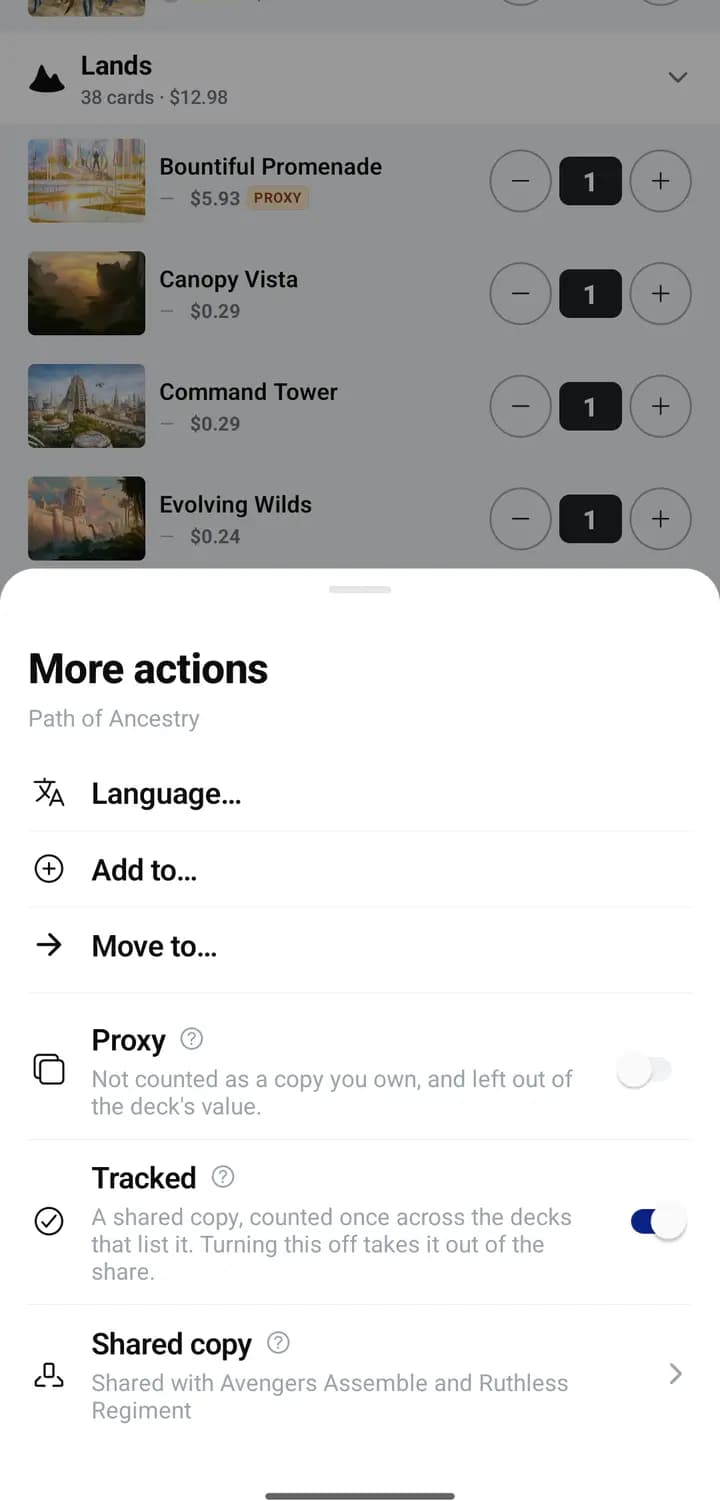
Every card of a deck now carries a mark saying how the copy behind it is
held. Open a card in a deck and you get three controls.
In the appUnlock the deck, tap a card, then More.
A proxy is a stand-in
Turn Proxy on and the card is a placeholder for the real thing. It wears
a PROXY tag, it is never counted as a copy you own, and it is left out of the
deck's value.
What it does not do is leave the deck. A proxy still counts toward the 100,
and it still takes part in legality, the mana curve, the bracket and the
playtester, exactly like the card it stands for. Only the counting changes.
Your commander can be a proxy too.
Untracked: in the deck, out of the count
Under Proxy sits Tracked. In a tracked deck, turning it off for one card
stops that card counting toward your owned totals and your collection value,
while it stays in the deck and in what the deck is worth.
One copy, several decks
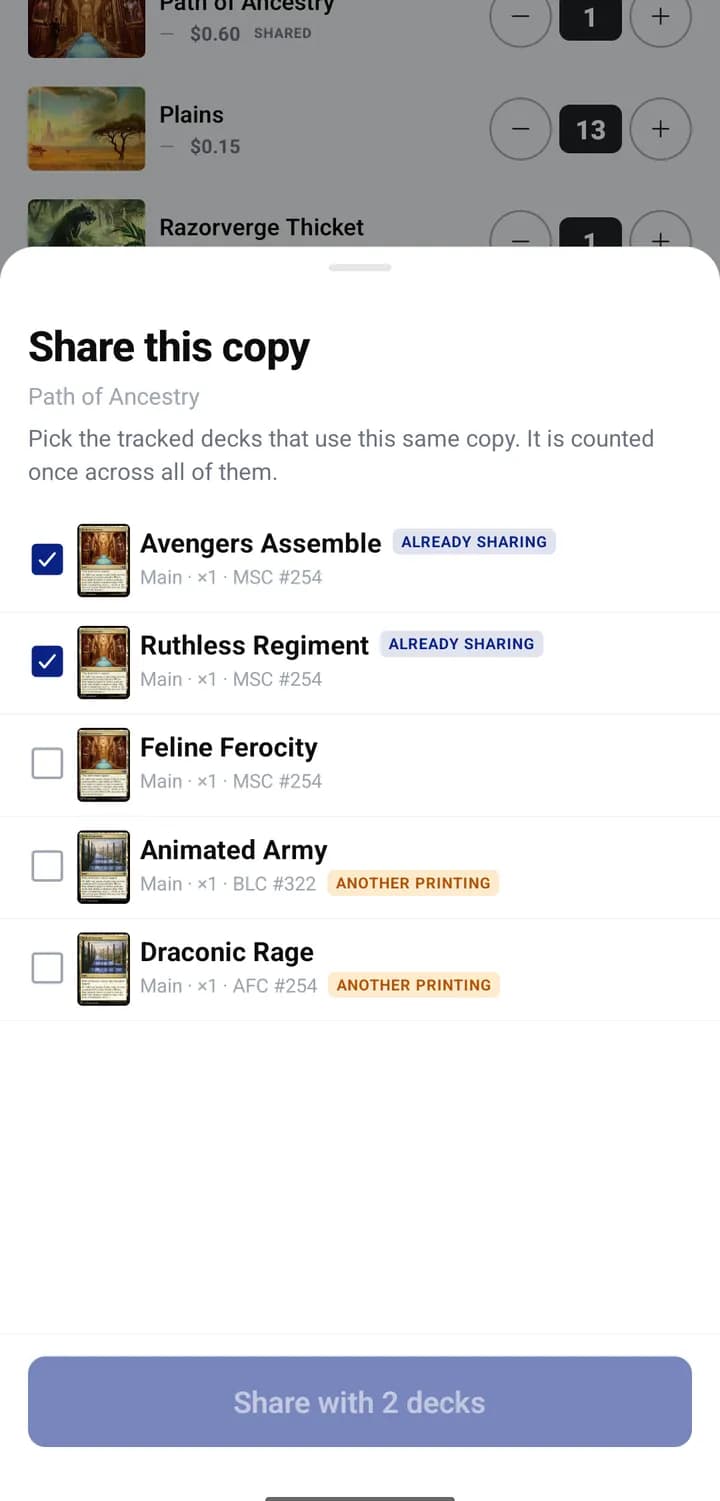
The third row is Shared copy. Pick the other tracked decks that use this
same physical card and it is counted once, however many decks list it, while
every one of those decks still includes it in its value.
Adrian spent twenty years building software for companies around the world, and still, his favorite day of the week is Thursday, because Thursday is Commander night. Silvane started as the collection tracker he built for his own cards, one Thursday at a time. He writes about the market with the same data that powers the app.
In the appChoose decks lists the tracked decks that hold the same card.
A deck holding another printing can still be chosen: its card is changed to
match yours in the same step, and the list tells you before you confirm.
Linking is by hand, one card at a time. Silvane never looks for cards to
share and never links anything on its own.
Reading the deck
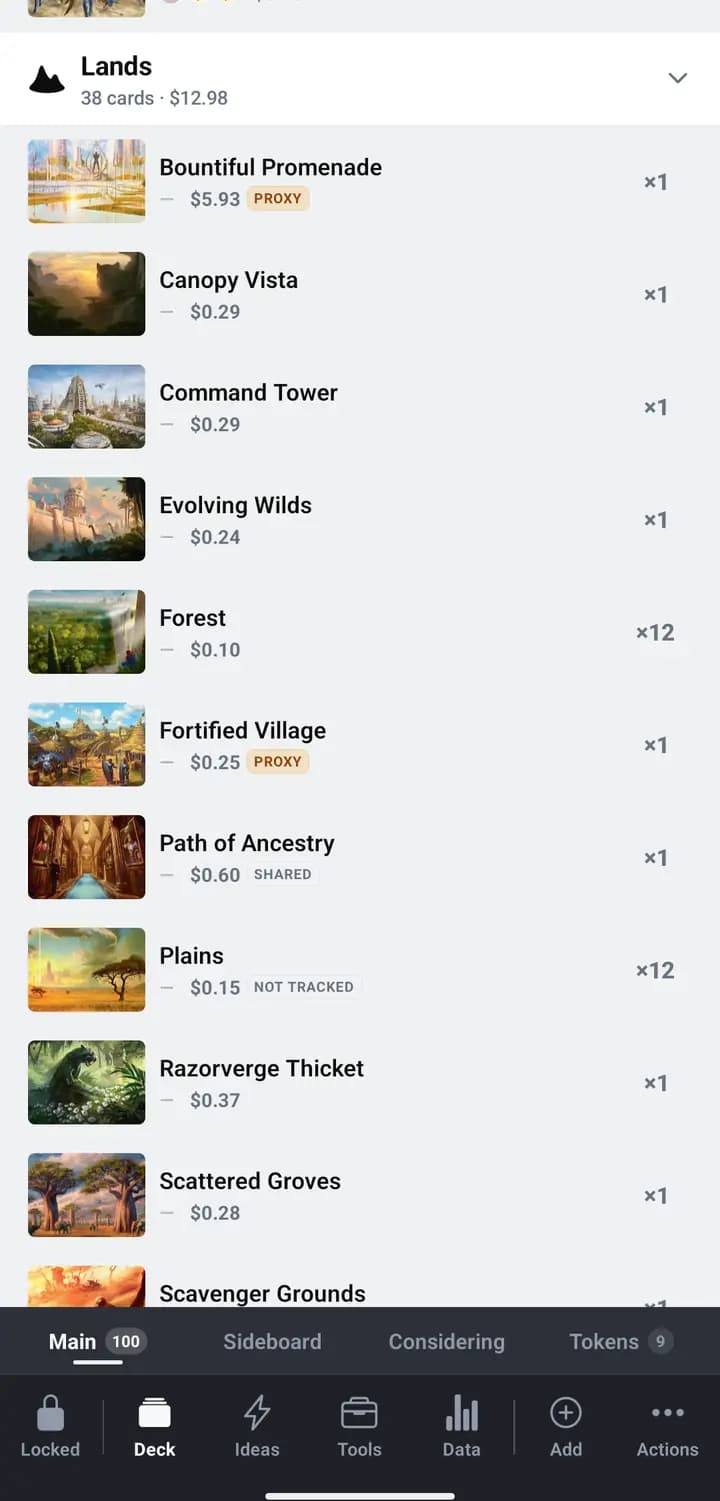
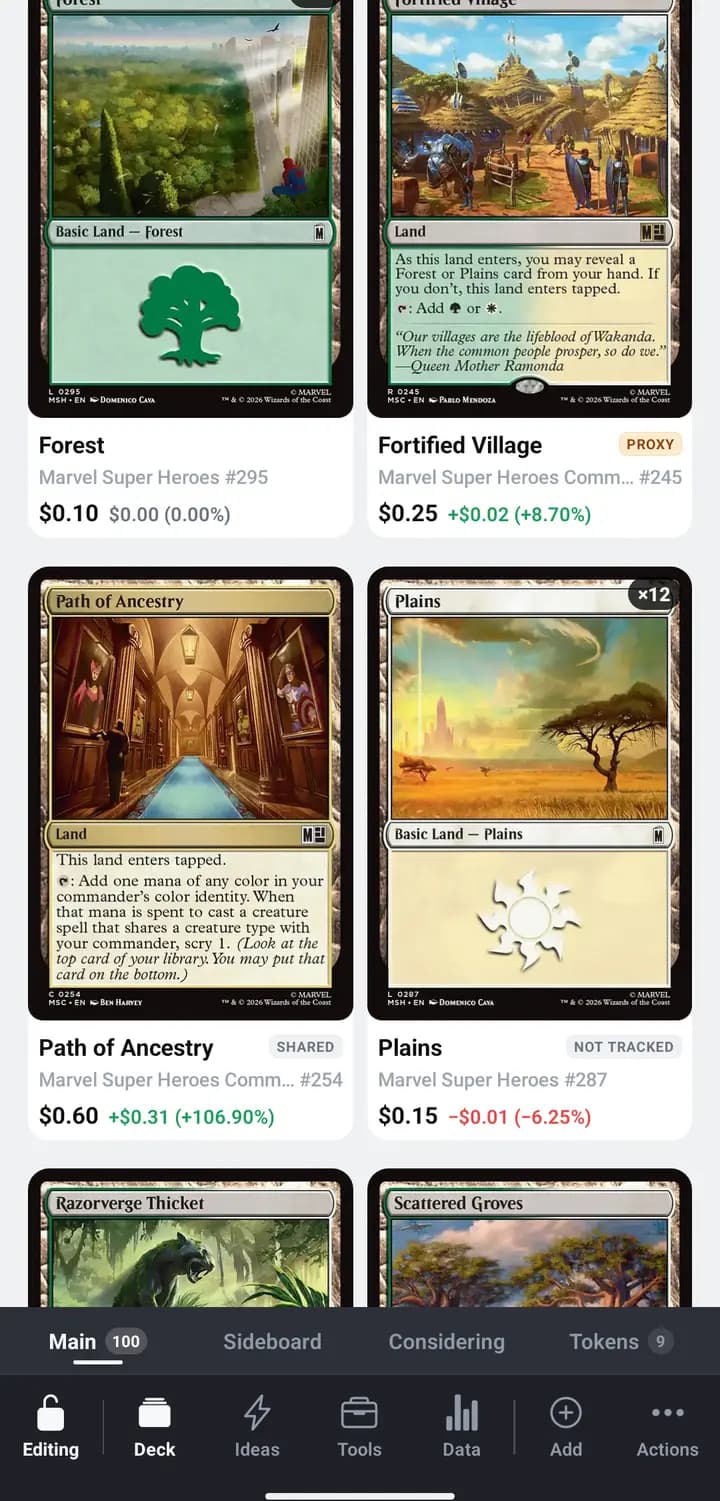
The marks show up beside each card, so a glance down the list tells you what
is real and what is standing in.
In the appList view puts the mark next to the price.
In the appVisual + details keeps the marks under the art.
What it does to the value
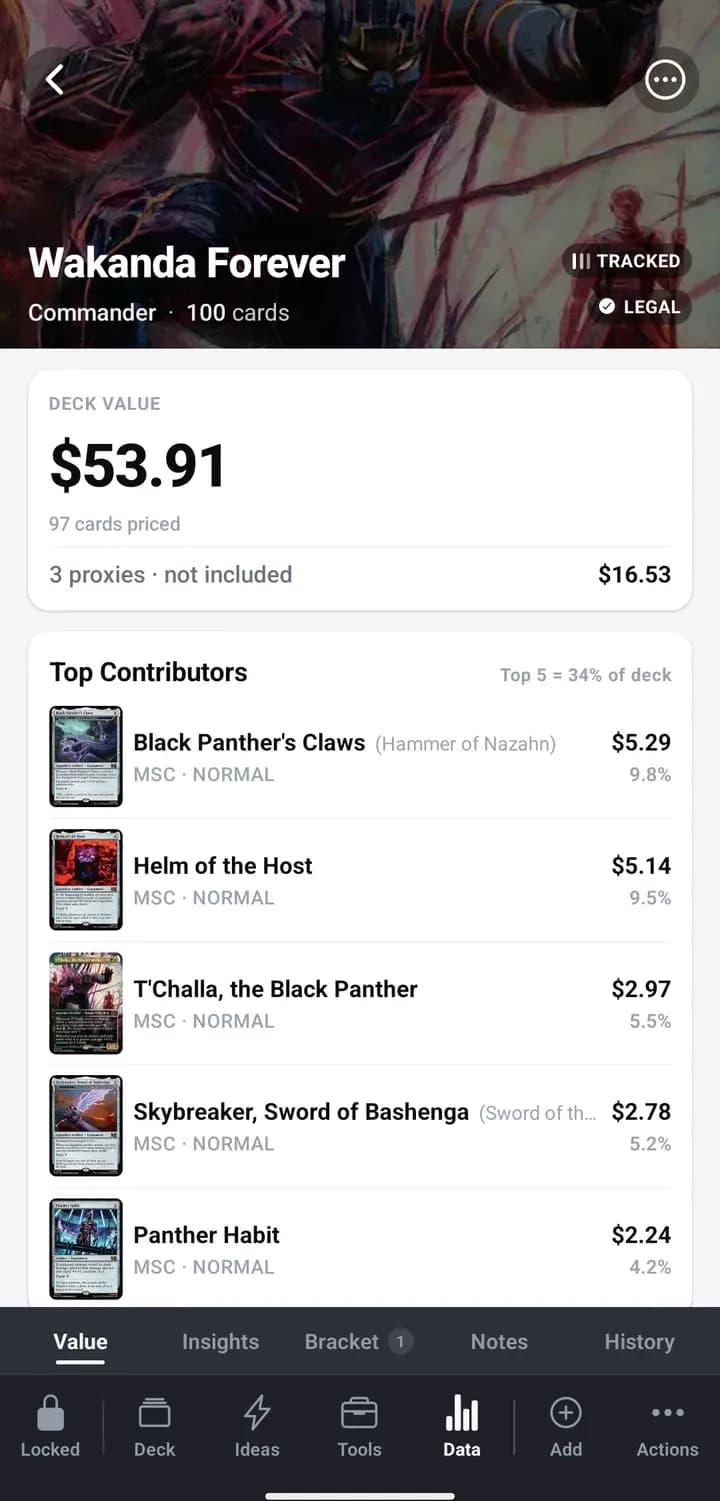
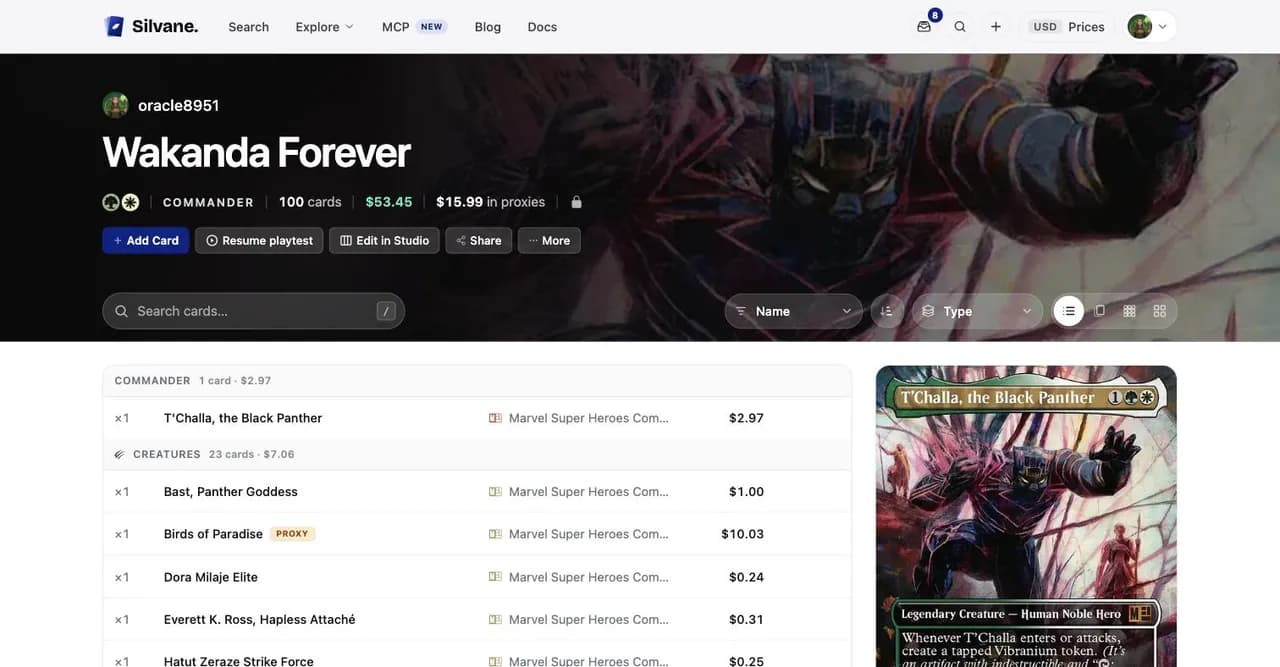
Proxies are priced apart, never folded into the total.
In the appData then Value. Helm of the Host is untracked and still in Top Contributors — only proxies leave the total.
On the web the same split sits in the deck's header, next to the card count.
On the webThe owner sees the value without proxies, and what the proxies would cost.
A visitor to a deck you share sees none of this: a plain list, no tags, and
the deck's full value.
In the Studio
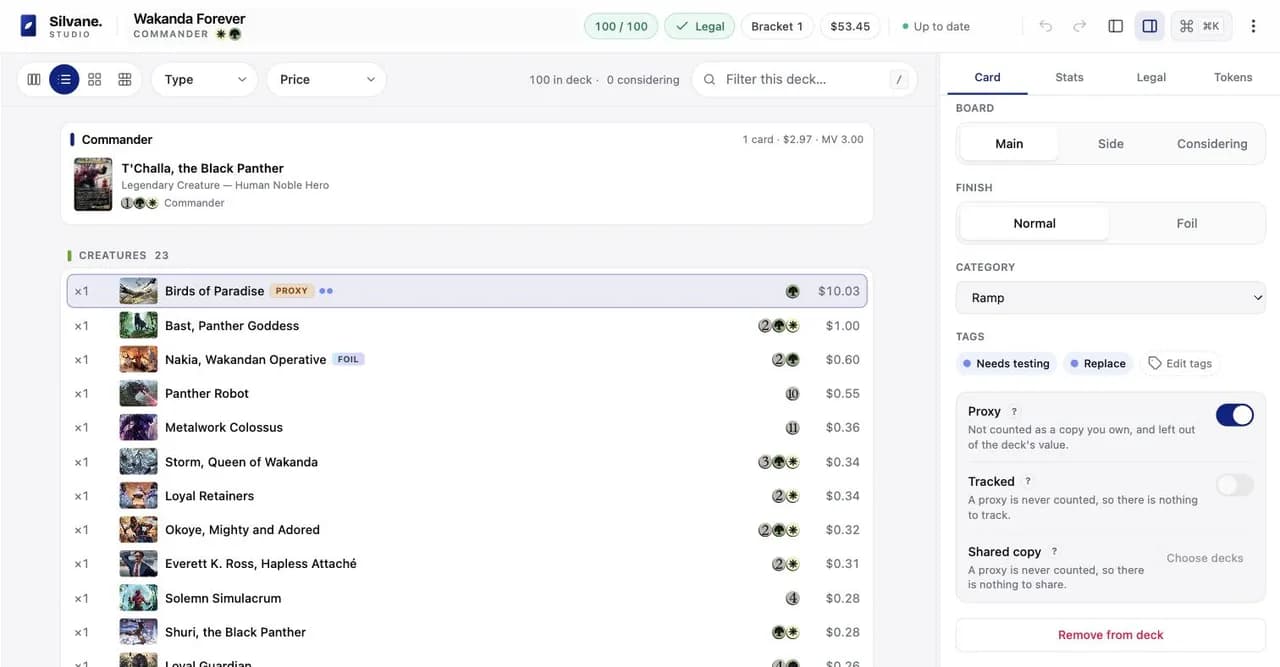
The Studio carries the same three controls in its Card tab, and it is the
clearest place to see how they interact. Mark a card as a proxy and the other
two step aside and say why.
On the webA proxy is never counted, so there is nothing to track and nothing to share.
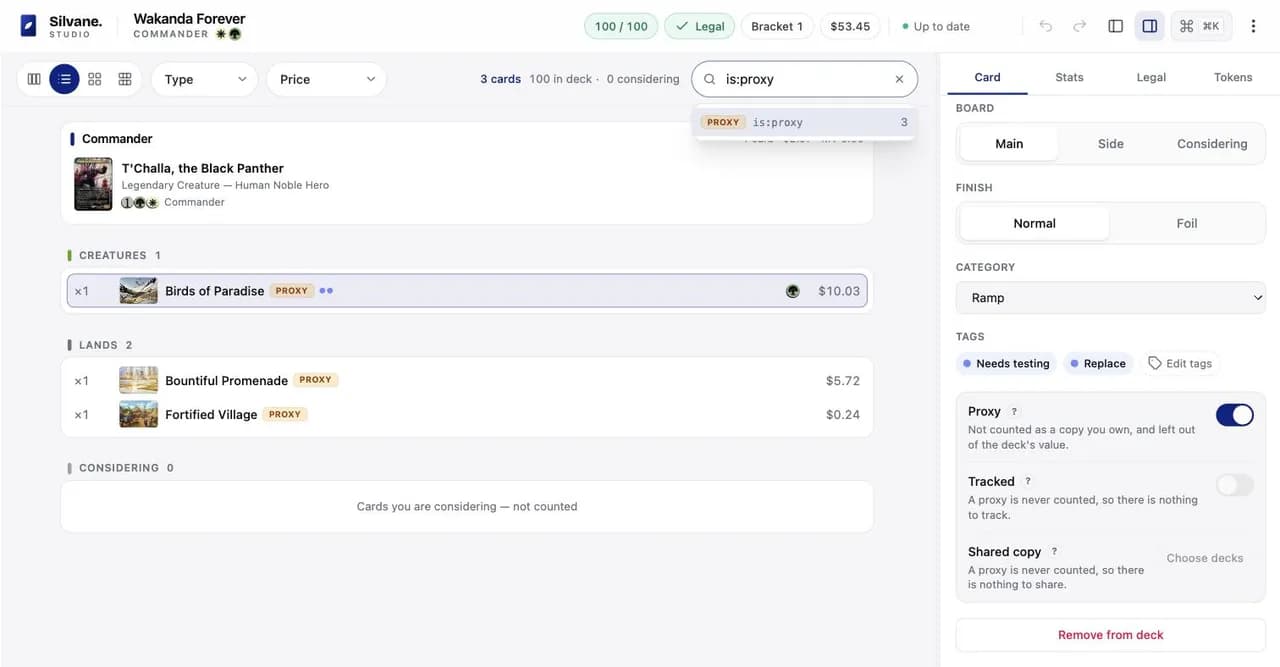
Select several cards and the switches act on the whole selection in one step
you can undo. And the deck filter learned three new words: is:proxy,
is:untracked and is:shared.
On the webis:proxy finds them wherever they sit in the list.
A tile for every finish
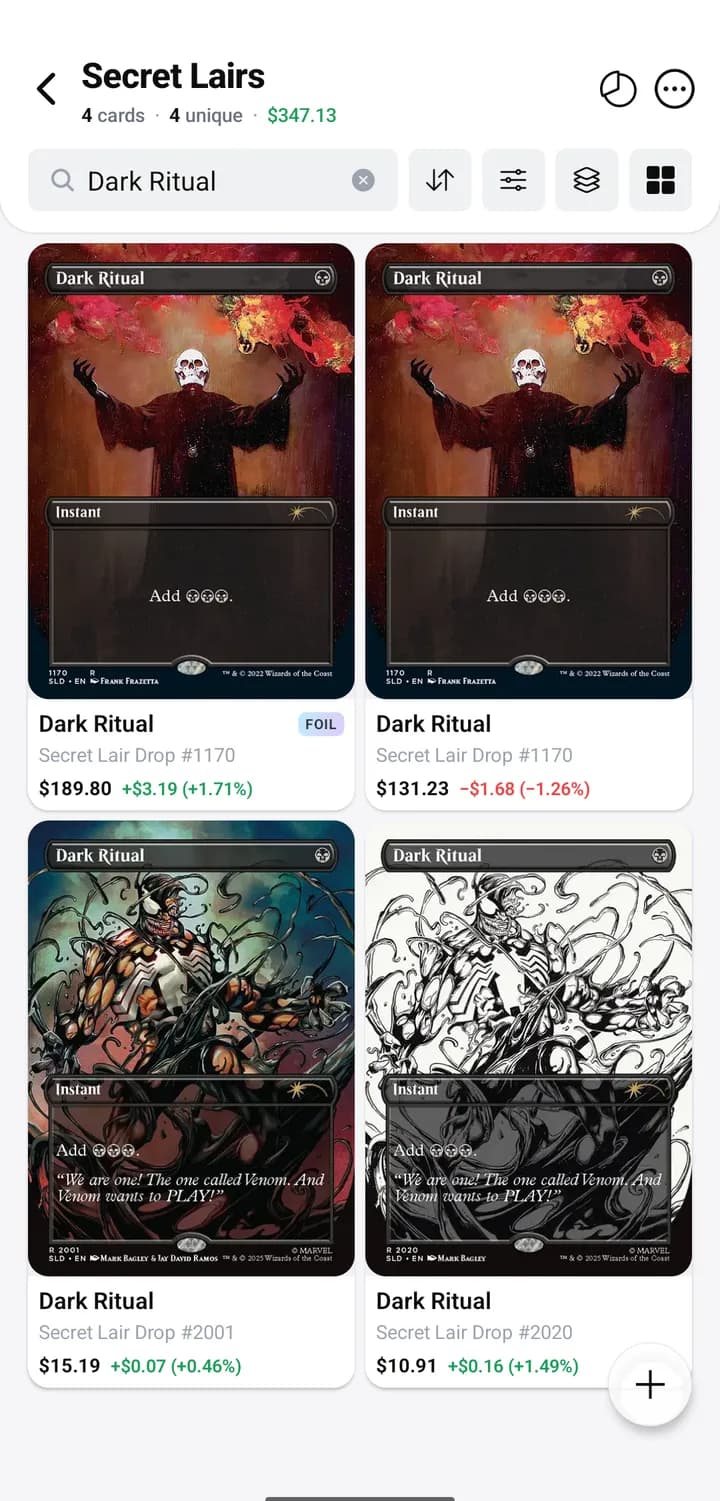
Until now a printing you held in normal and in foil was one tile carrying
both. That hid the thing that matters: the two are different objects with
different prices.
Now each finish gets its own tile, its own count, its own tag and its own
price.
In the appThe same printing, Secret Lair Drop 1170, as two tiles.
The web reads the same way.
On the webSame rule in the browser.
This is why a card can look like it shows up twice. It is not duplicated:
you hold it in two finishes.
Selecting follows the same rule. Pick the foil tile and Move, Add or
Delete act on the foil copy only. The normals stay where they are, including
the ones a price filter was hiding from Select all. Tags and For Trade still
belong to the card, and both apps say so when you apply one.
Deleting part of a card is recoverable now too: the removed copies land in
Recently deleted like any other deletion.
In your ledger
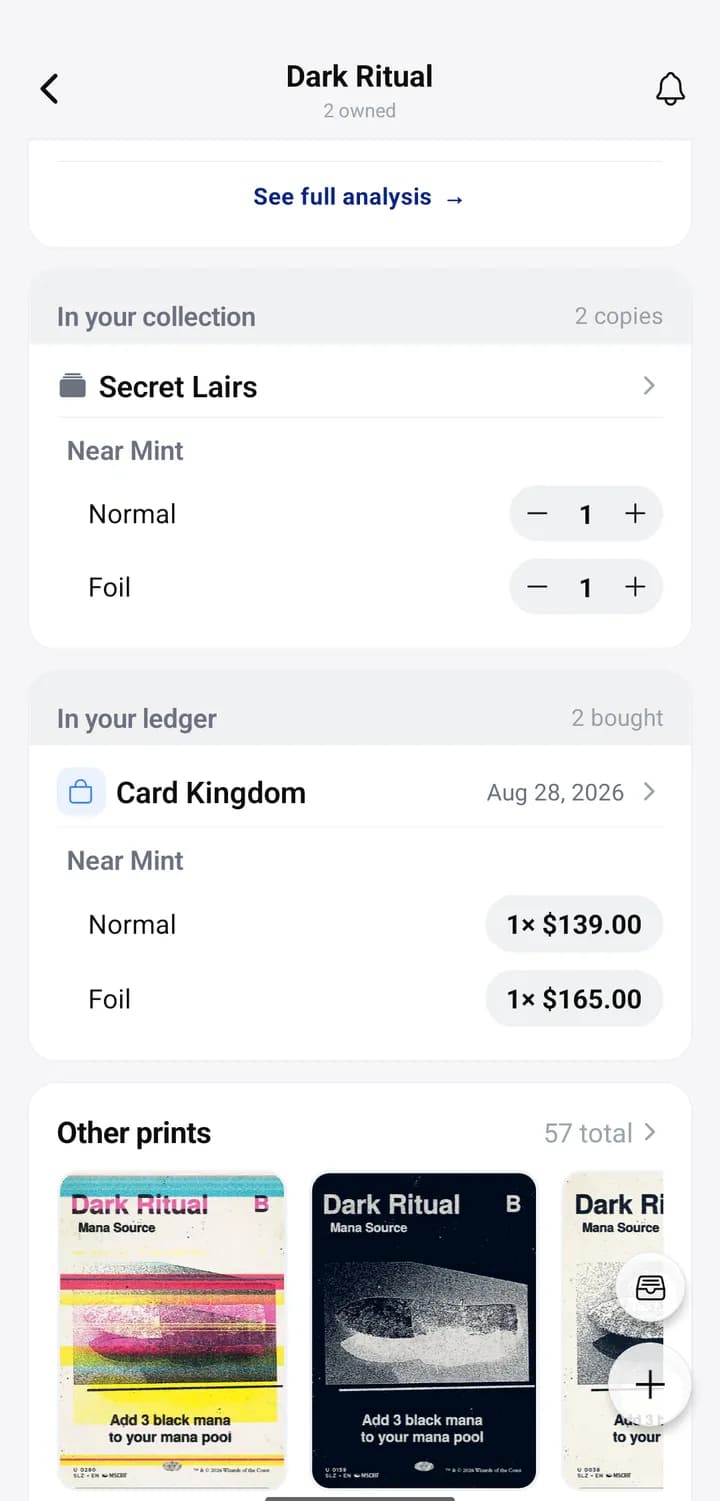
If you keep the Ledger, every sale and purchase of a print
now appears on that print's own card screen, right under what you hold of it.
In the appWhat you hold, and what you paid for it, on one screen.
Who it went to or came from, the date, and each line's condition, finish,
copies and price per copy. Tap an order to open it. It works offline, and it
hides itself on a print you have never bought or sold.
It is a section of your card detail layout like any other, so you can drag it
where you want it. The Ledger is Pro, so this is too.
The search box guesses better
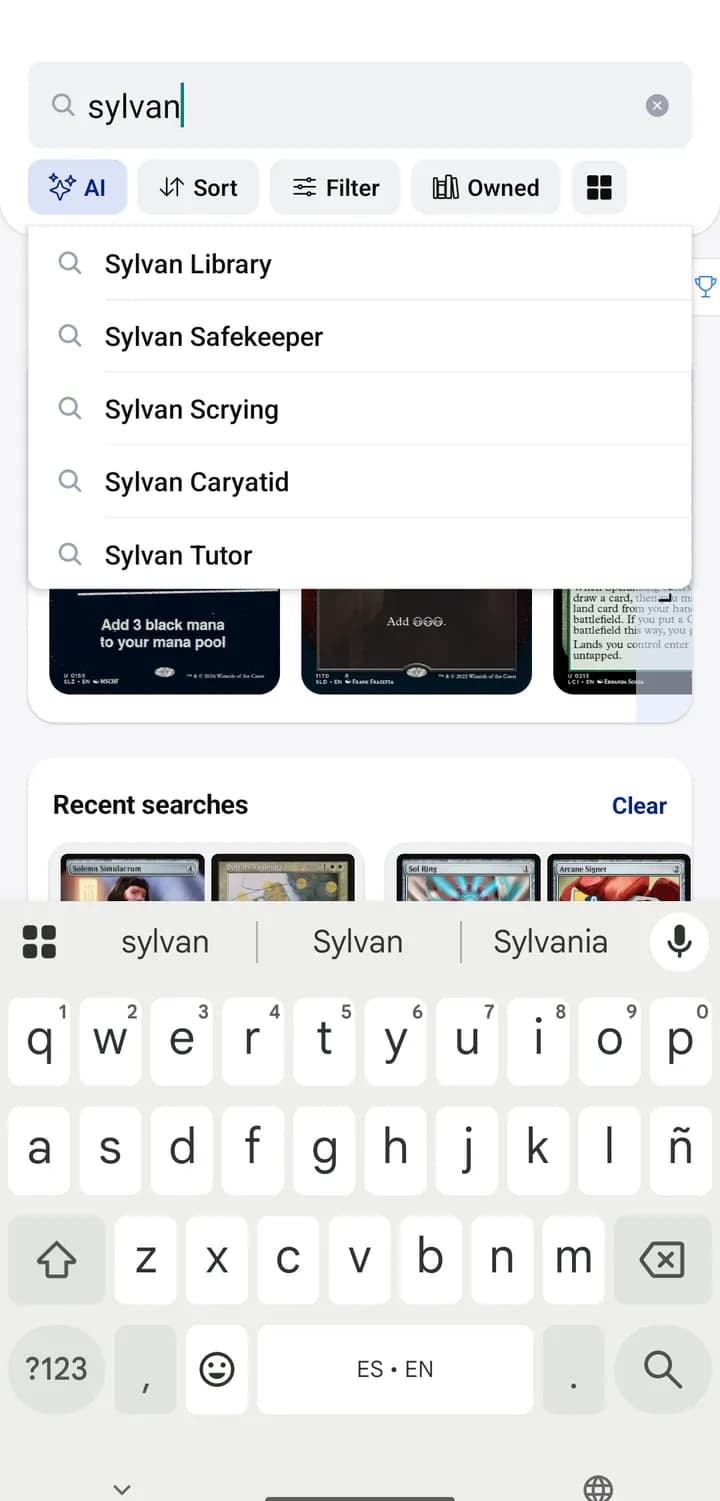
Start typing a card name and Silvane now suggests from its own catalog,
ordered by what people actually play rather than alphabetically.
In the appSylvan Library comes before Sylvan Caryatid, which would win alphabetically.
Any word of the name counts, accents are optional, and alternate names find
their card. The whole list lives in memory, so it answers instantly and works
offline in the app.
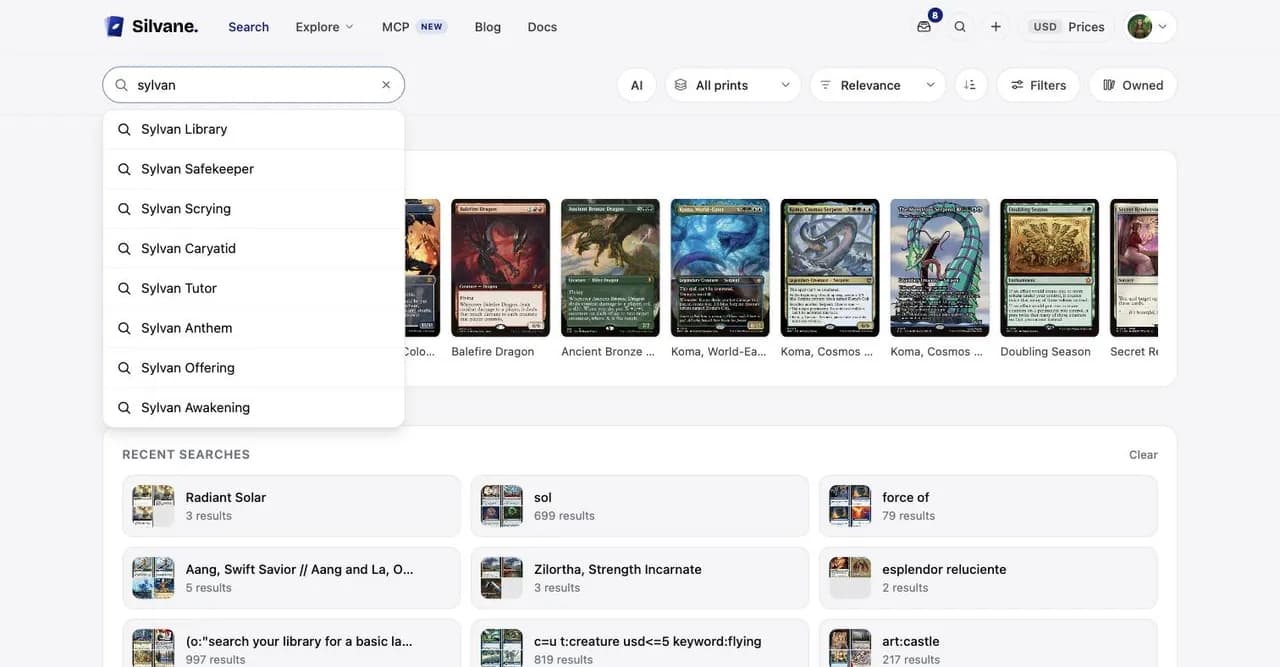
On the webOn the web the arrow keys walk the list and Enter searches.
Searching your own collection now finds sets too. Type a set name or its
code, final fantasy comm or fic, and the set's page is one row away.
Two characters are enough.
Also in this release
Restoring a backup works again, and brings back the market each price
alert watches, the public link of a deck or a view, and your saved layouts.
The scanner's set lock reaches The List, Mystery Booster 2 and the
Unfinity List. Those printings carry the original set's code in the
footer, which is what the scanner reads, so locking one of those sets used
to match nothing.
A failed Blindspots scan says so and is not charged against your
monthly scan. Partner commanders scan now too.
Recently deleted no longer offers copies you still have.
In the playtester, a land in your hand says Play and a spell says Cast.
The full list is in Profile, then Version history, inside the app.