What's new in Silvane 0.9.14: the Booster Guide, a welcome, and suggestions to start with
What every booster holds and what a pack is worth, a welcome that brings your collection from another app, and suggestions where a screen starts empty.
What's new in Silvane 0.9.14: the Booster Guide, a welcome, and suggestions to start with
What every booster holds and what a pack is worth, a welcome that brings your collection from another app, and suggestions where a screen starts empty.
Silvane 0.9.14 is about the first few minutes, and about boosters.
The app now greets you with a question, brings your collection over from
the app you used before, and fills the screens that start empty with things
worth adding. And there is a new guide to the boosters of 40 sets: what
each one holds, what a pack is usually worth, and three packs to open every
day.
Here is all of it, step by step.
The Booster Guide
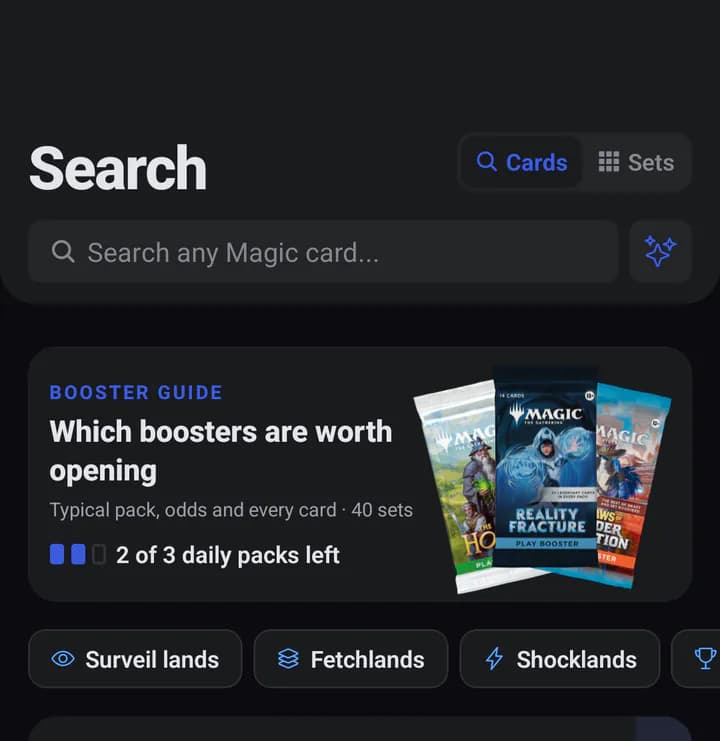
The guide sits at the top of the Search tab. It covers 95 boosters from 40
sets since Kaldheim: their Play, Set, Draft and Collector Boosters, plus the
Epilogue Booster of March of the Machine: The Aftermath.
In the appSearch, then the Booster Guide card. Today's packs sit right under it.
Which boosters are worth opening
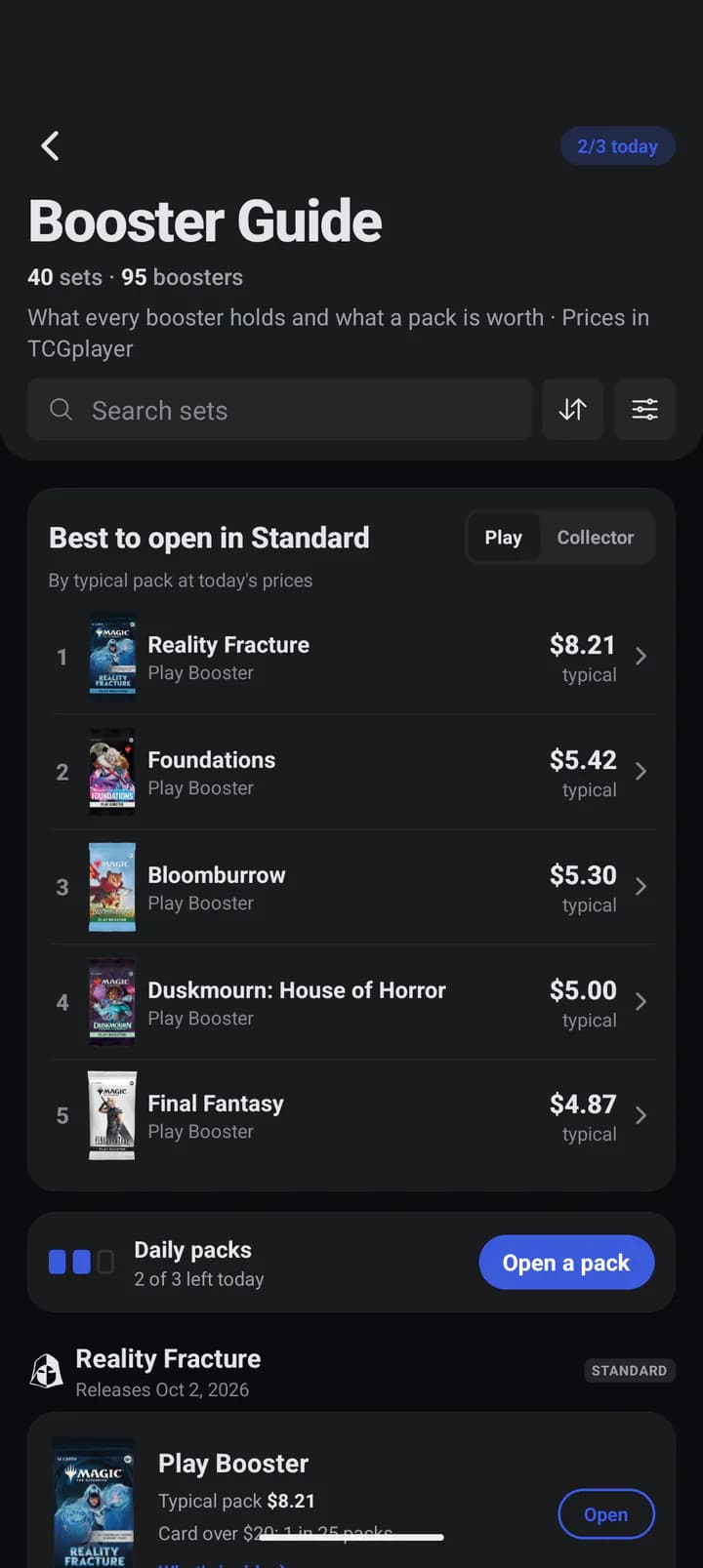
The guide opens on its answer to that question: the Standard sets ranked by
what a pack of them is usually worth, for Play or Collector Boosters. Under
it come all 40 sets, newest first, each booster with its typical pack and how
often one holds a card over $20.
In the appBest to open in Standard, as of October 1. Prices follow the source you picked in Settings and are worked out again every night.
The typical pack is the median: half the packs hold more, half hold less.
Every card counts at its price, bulk included.
What's inside
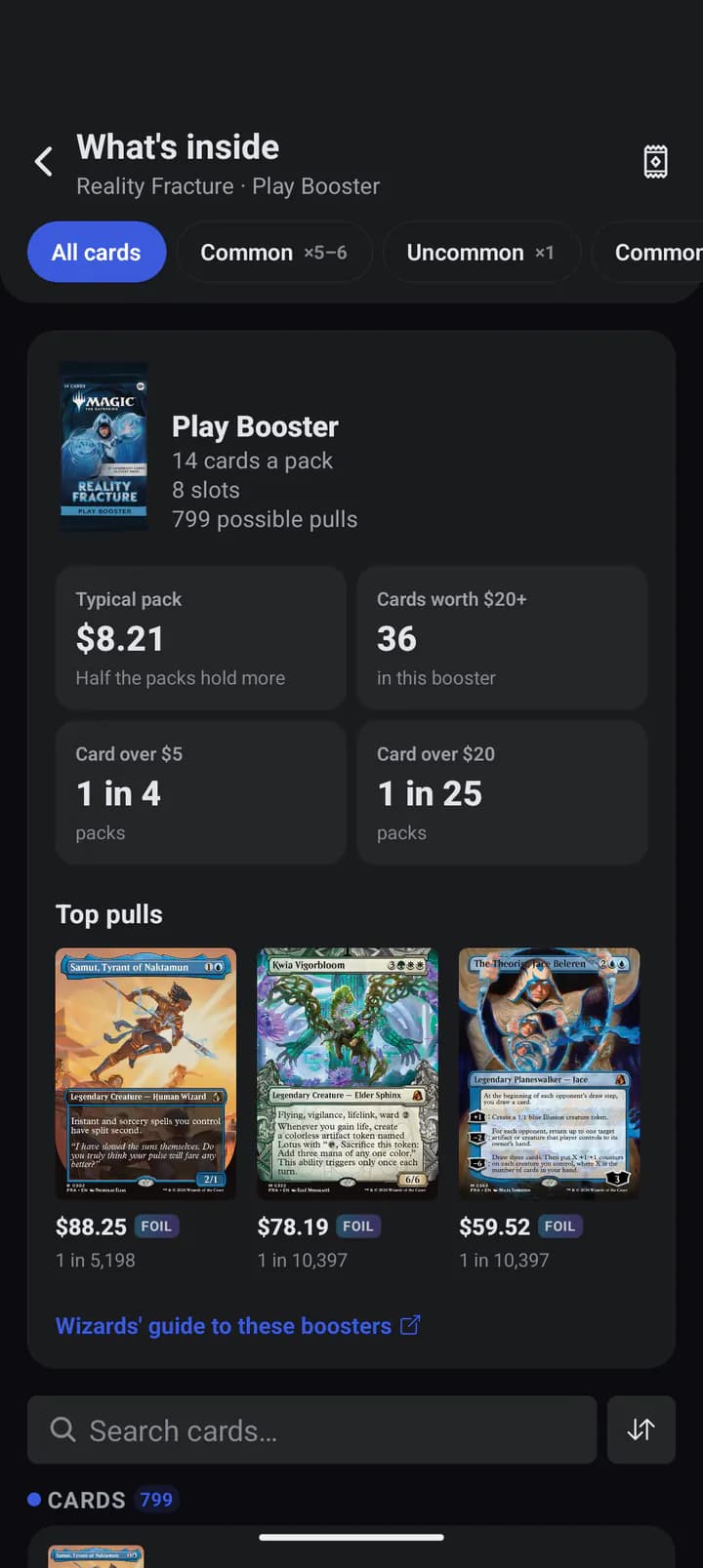
Tap a booster to see its slots, in Wizards' order and with Wizards' names,
and every card it can give, with its price and its chance per pack.
Adrian spent twenty years building software for companies around the world, and still, his favorite day of the week is Thursday, because Thursday is Commander night. Silvane started as the collection tracker he built for his own cards, one Thursday at a time. He writes about the market with the same data that powers the app.
In the appTop pulls are the cards worth the most, with their odds. The link at the bottom opens Wizards' own guide to the set's boosters.
The odds follow what Wizards published for each set. Before the guide
shipped, we checked it against more than 4,000 of those published numbers.
Three packs a day
Every day you get three packs to open, back at midnight where you are.
Silvane Pro opens as many as you like. Each pack is drawn on our servers
with the same odds the guide shows, so opening one needs a connection.
In the appPeel the strip off the pack.
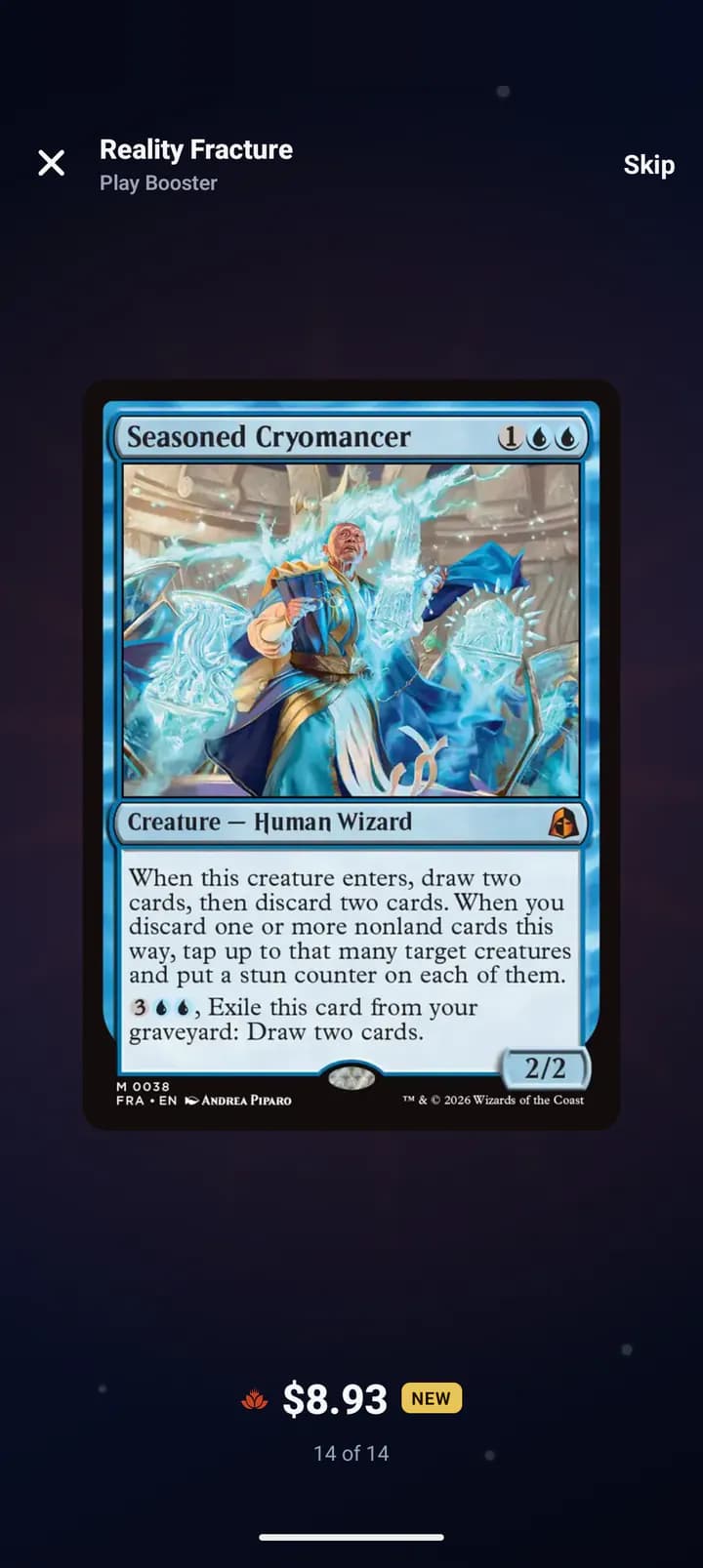
In the appTap to turn the cards over, then swipe. The best card comes last.
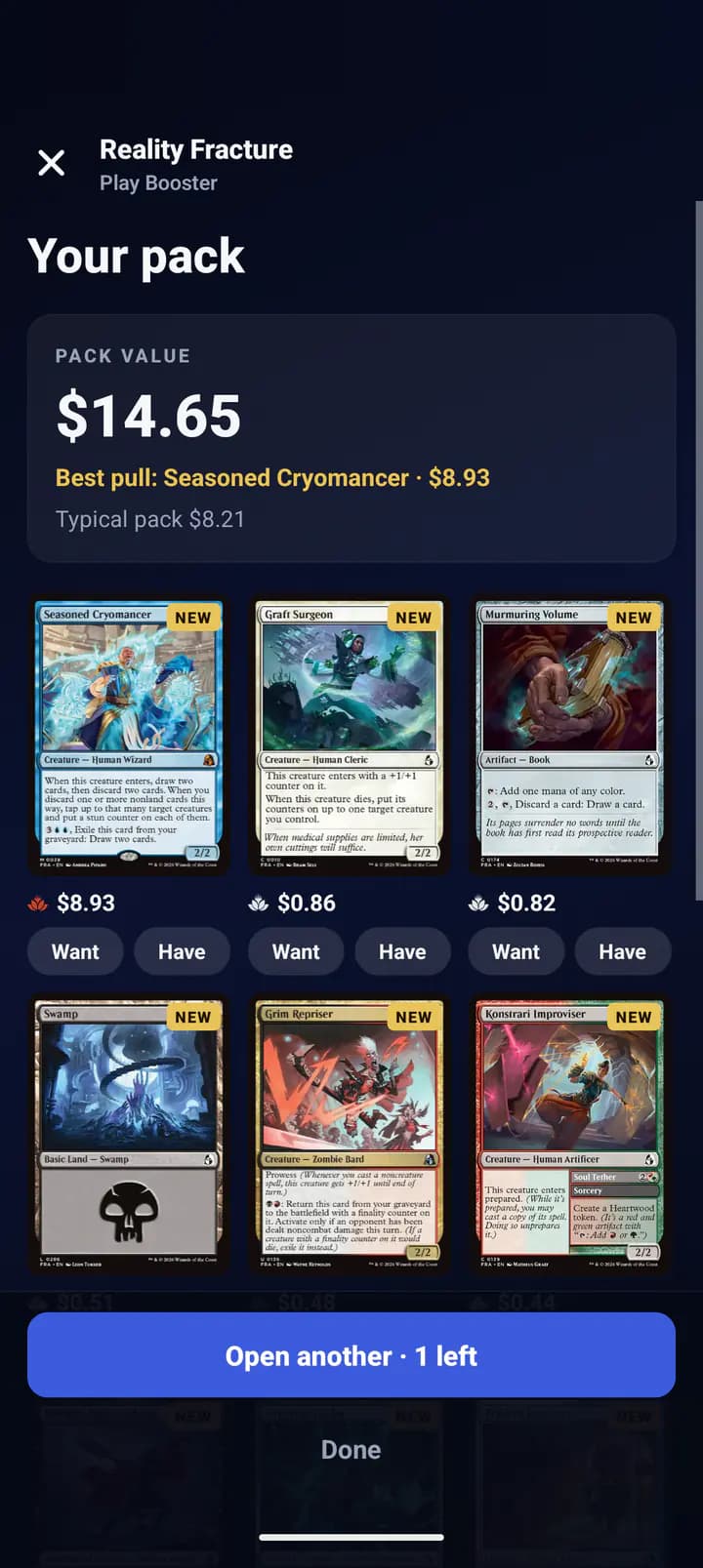
In this pack the last card was Seasoned Cryomancer,
a mythic. NEW marks a printing that is in none of your binders or lists.
At the end, Your pack adds it up: what the pack was worth, the best pull,
and the typical pack to compare it with.
In the app$14.65 against a typical $8.21. Want adds a card to your Wishlist, Have to a binder.
A welcome, and your collection from another app
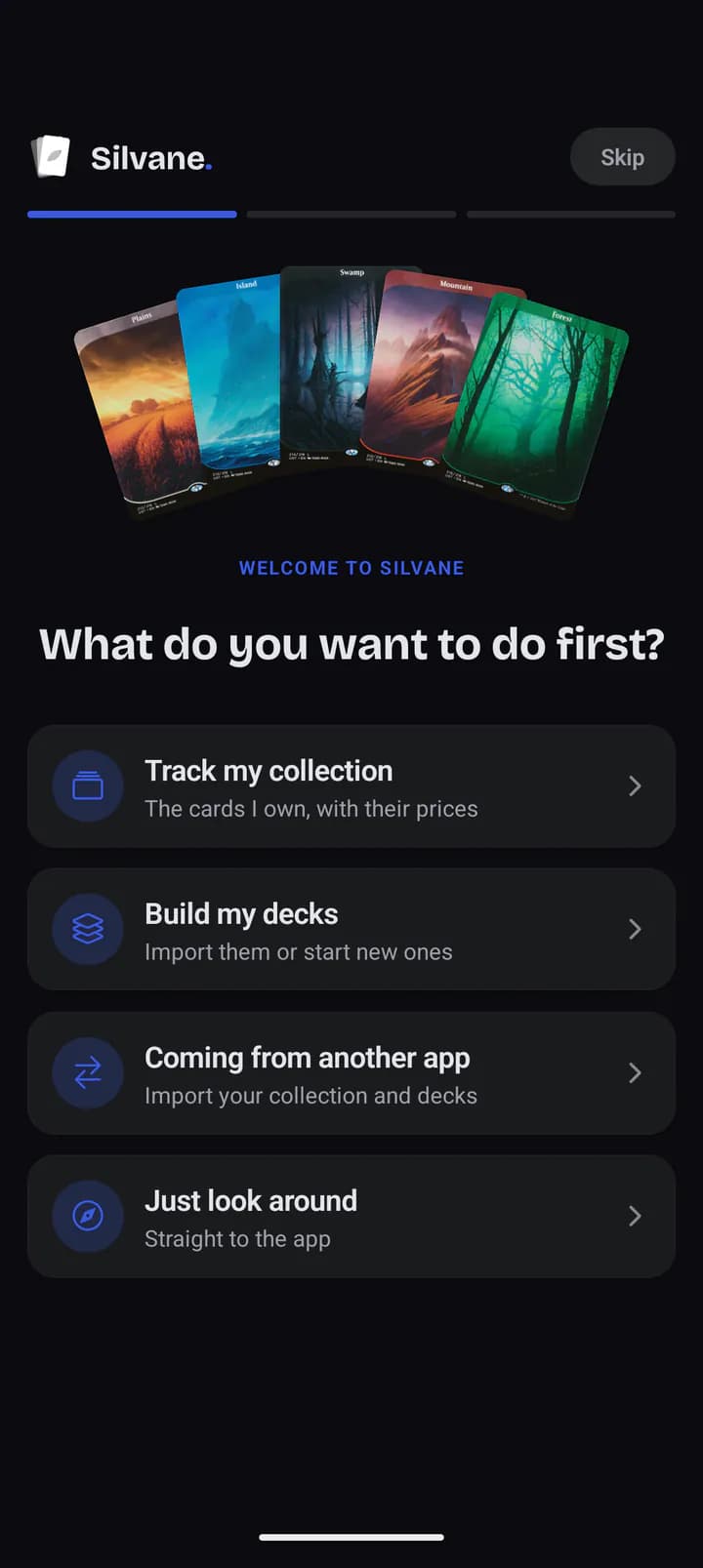
The first time Silvane opens on a phone, it asks what you want to do first.
In the appEach answer leads somewhere different. Just look around goes straight to the app.
Coming from another app
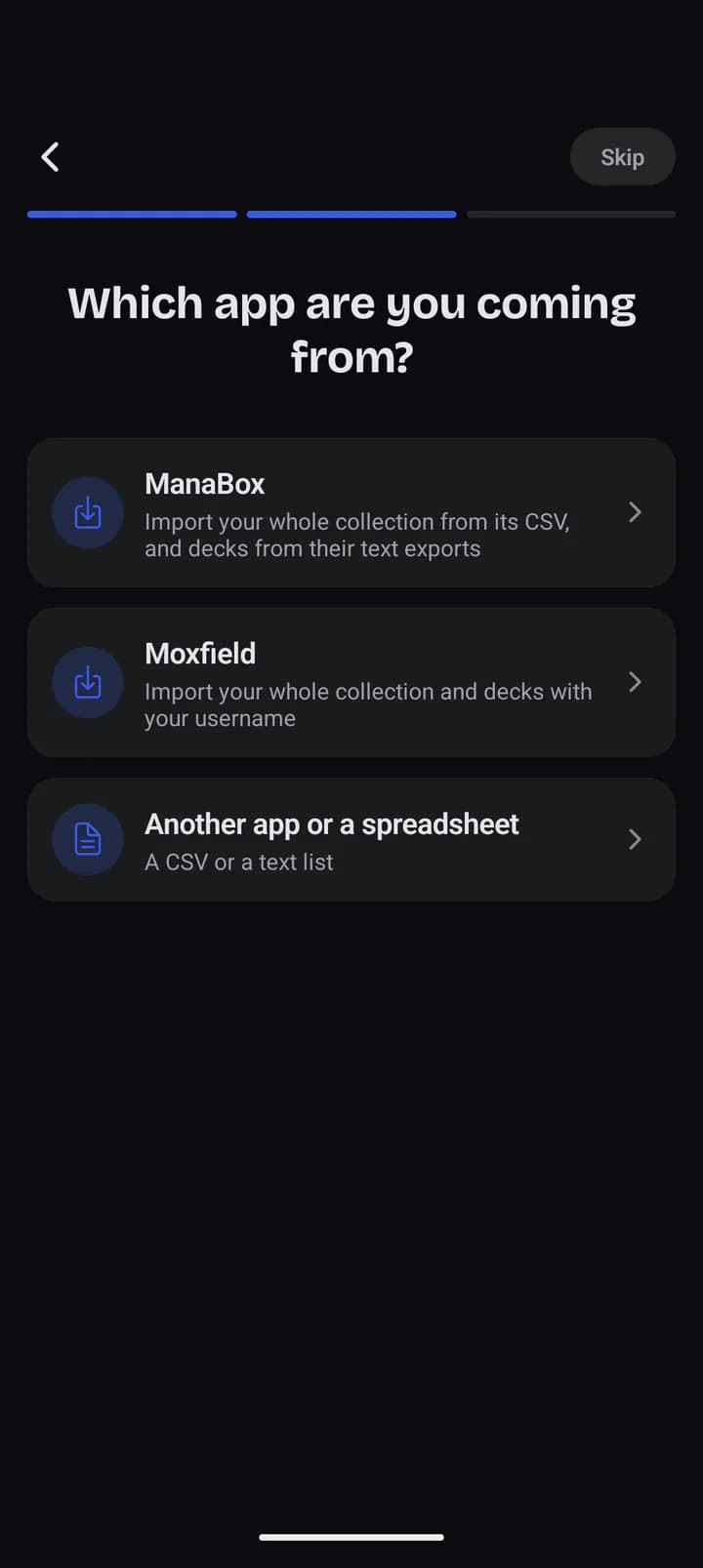
Pick Coming from another app and choose where your cards live today:
ManaBox, Moxfield, or any other app or spreadsheet that exports a CSV or a
text list. Before anything is added, Silvane shows what it found.
In the appManaBox reads its CSV. Moxfield needs only your username.
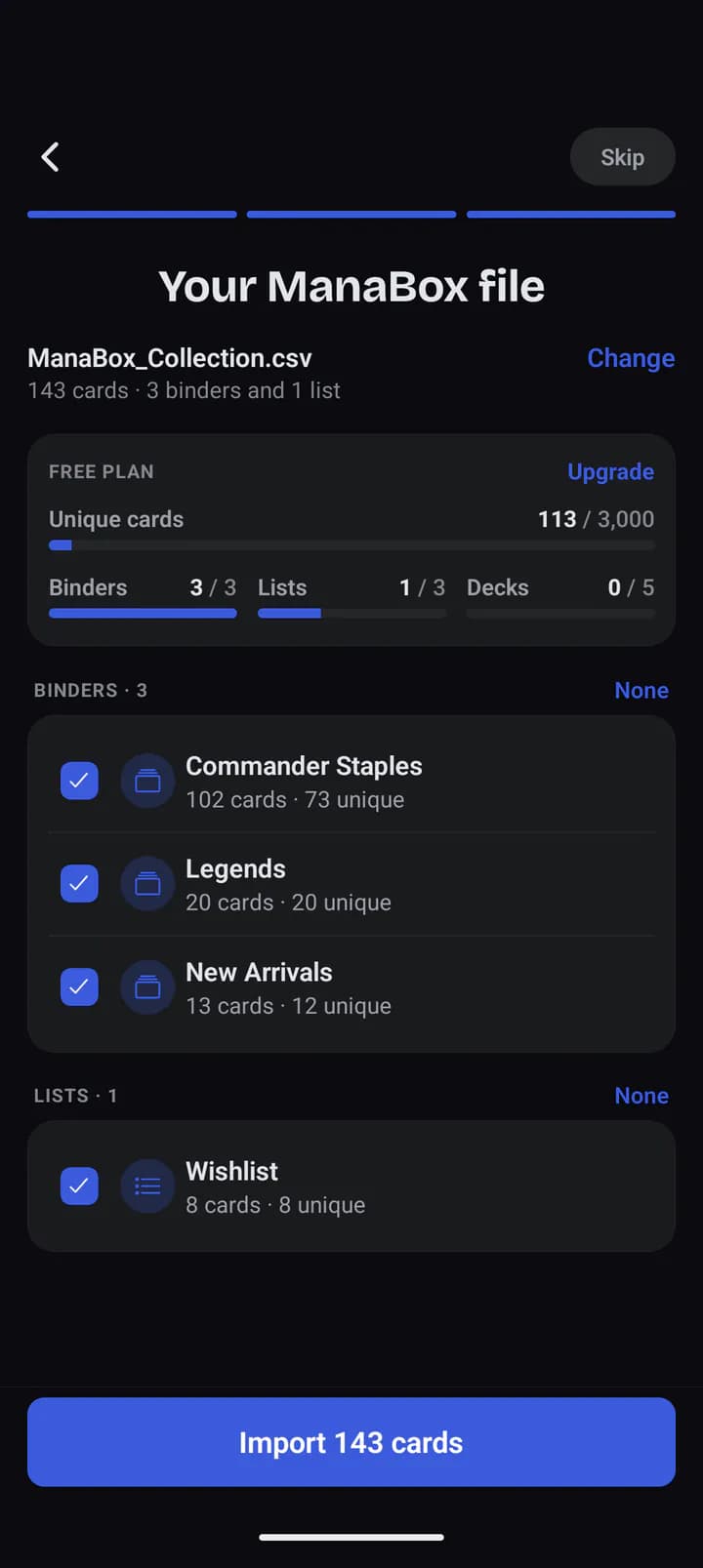
In the appThe preview: each binder and list, and the room the Free plan leaves.
Every binder, list and deck lands in a place of its own. For a ManaBox deck
with a commander or a sideboard, bring along the deck's text export, and both
come with it.
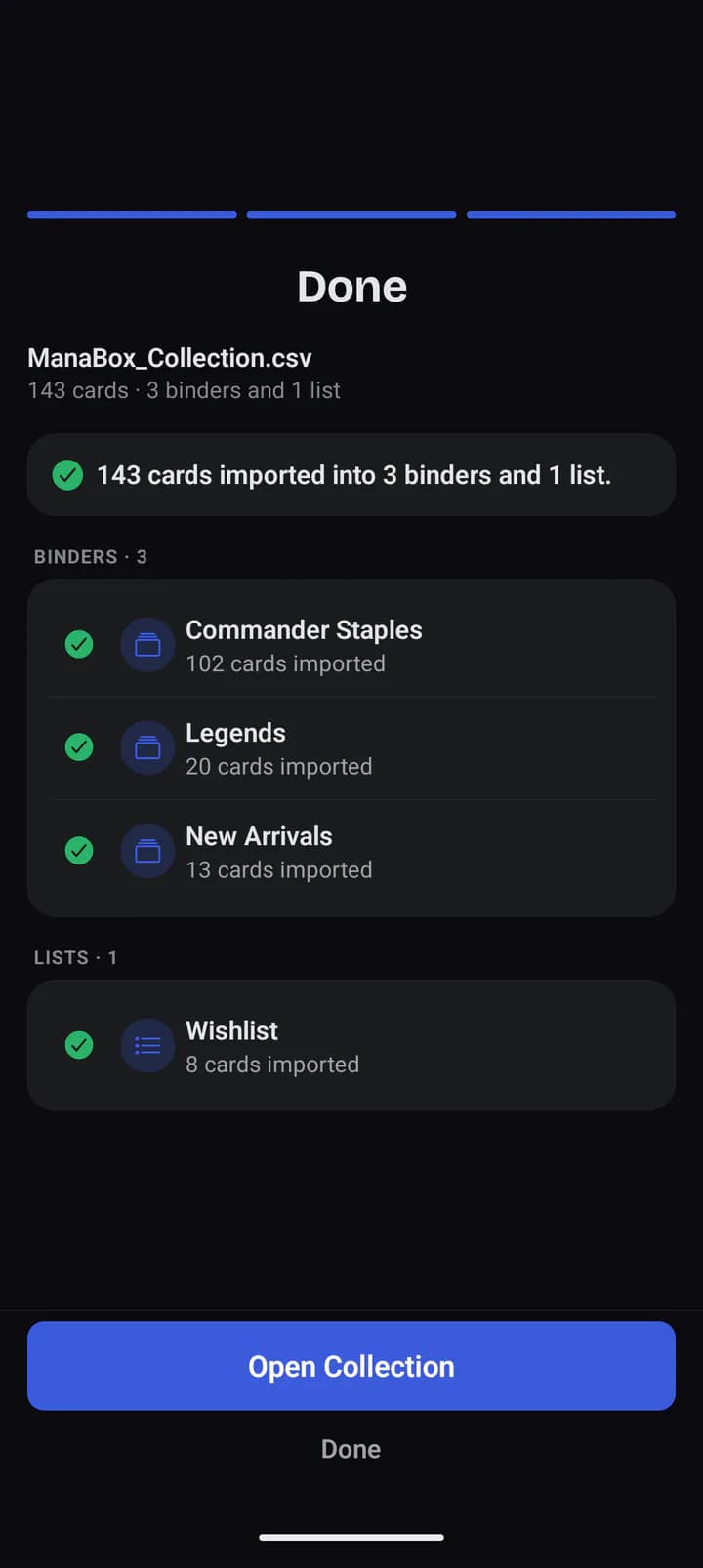
In the appDone: 143 cards in three binders and a list.
It also waits under Profile, in Import from another app, any time.
Precons, several at once
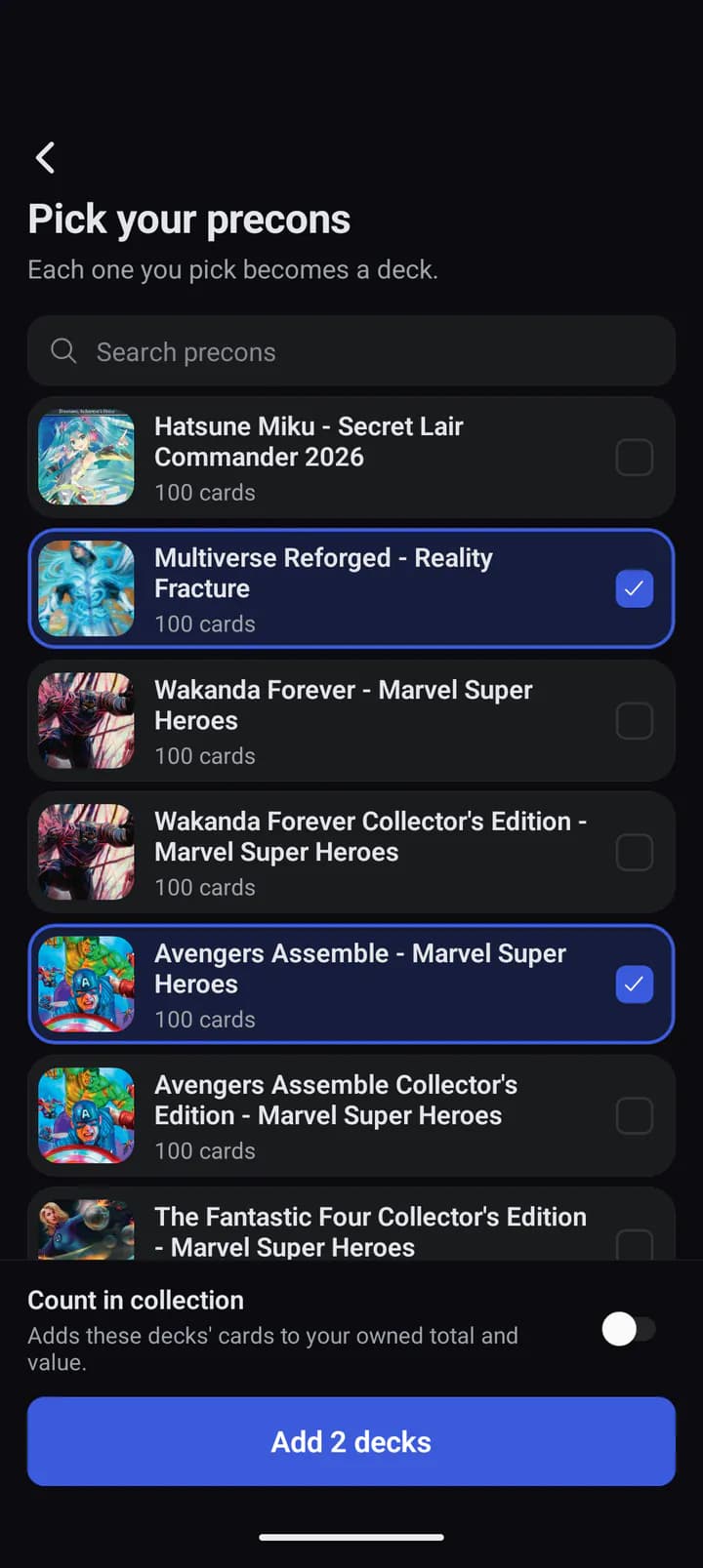
If you play precons, you do not have to enter them card by card. On an empty
Decks tab, Start from a precon opens the precon picker: each one you pick
becomes a deck.
In the appCount in collection adds the decks' cards to what you own.
Suggestions where a screen starts empty
Three screens used to open blank. Now each one starts with suggestions,
worked out from your own collection.
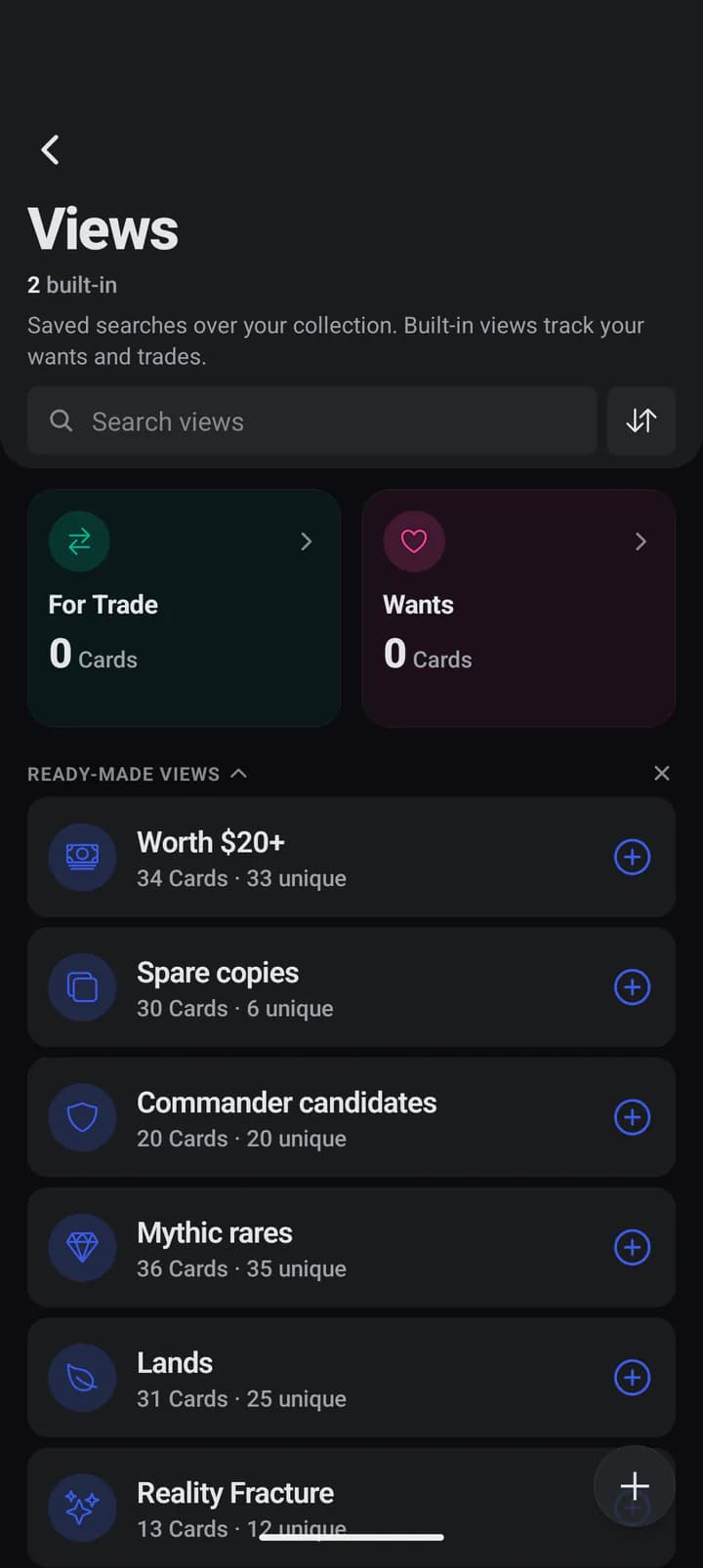
Views gets Ready-made Views: saved searches like Worth $20+, Spare
copies, Commander candidates and the newest set, each with how many of your
cards it holds right now. A tap adds one.
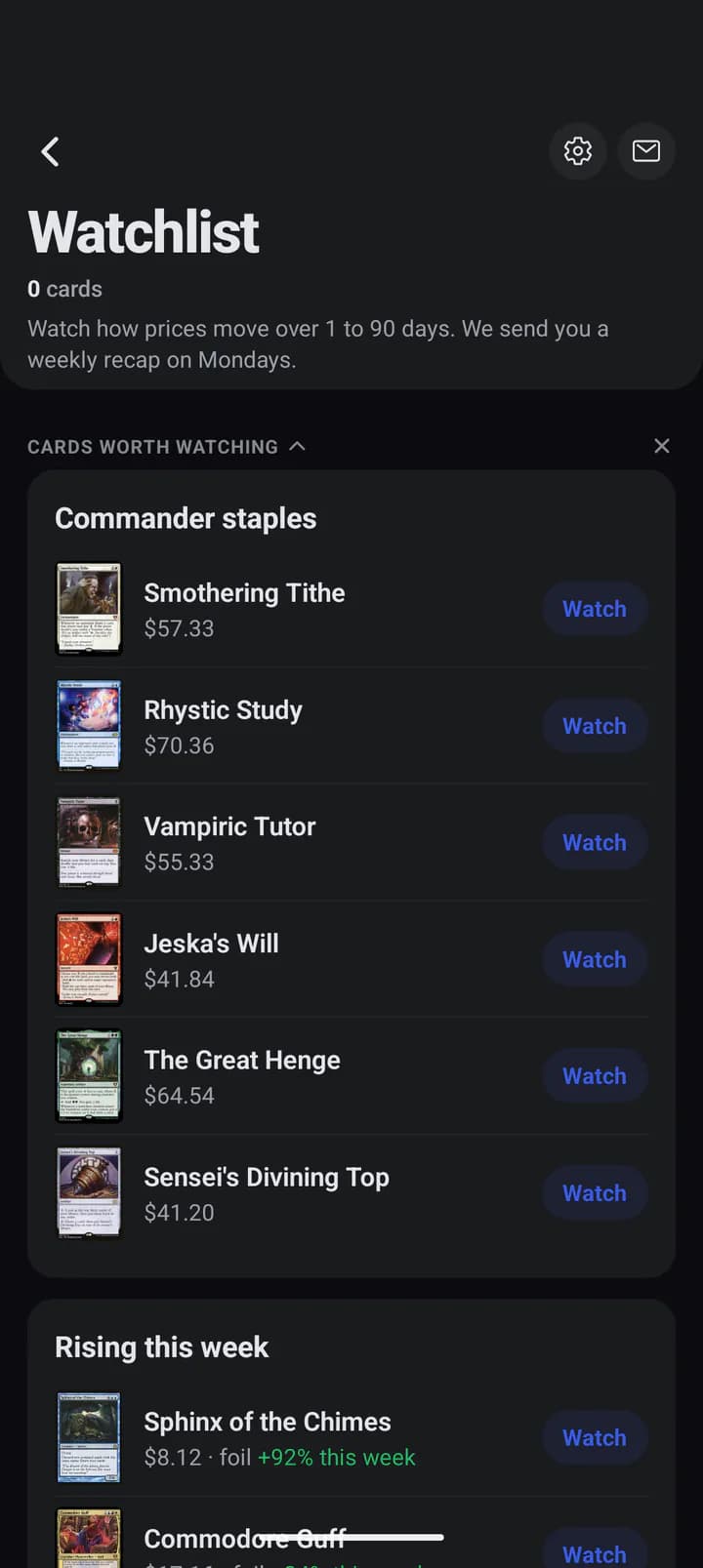
The Watchlist gets Cards worth watching: Commander staples such as
Smothering Tithe, the
cards on your Wishlist, and the week's steady risers.
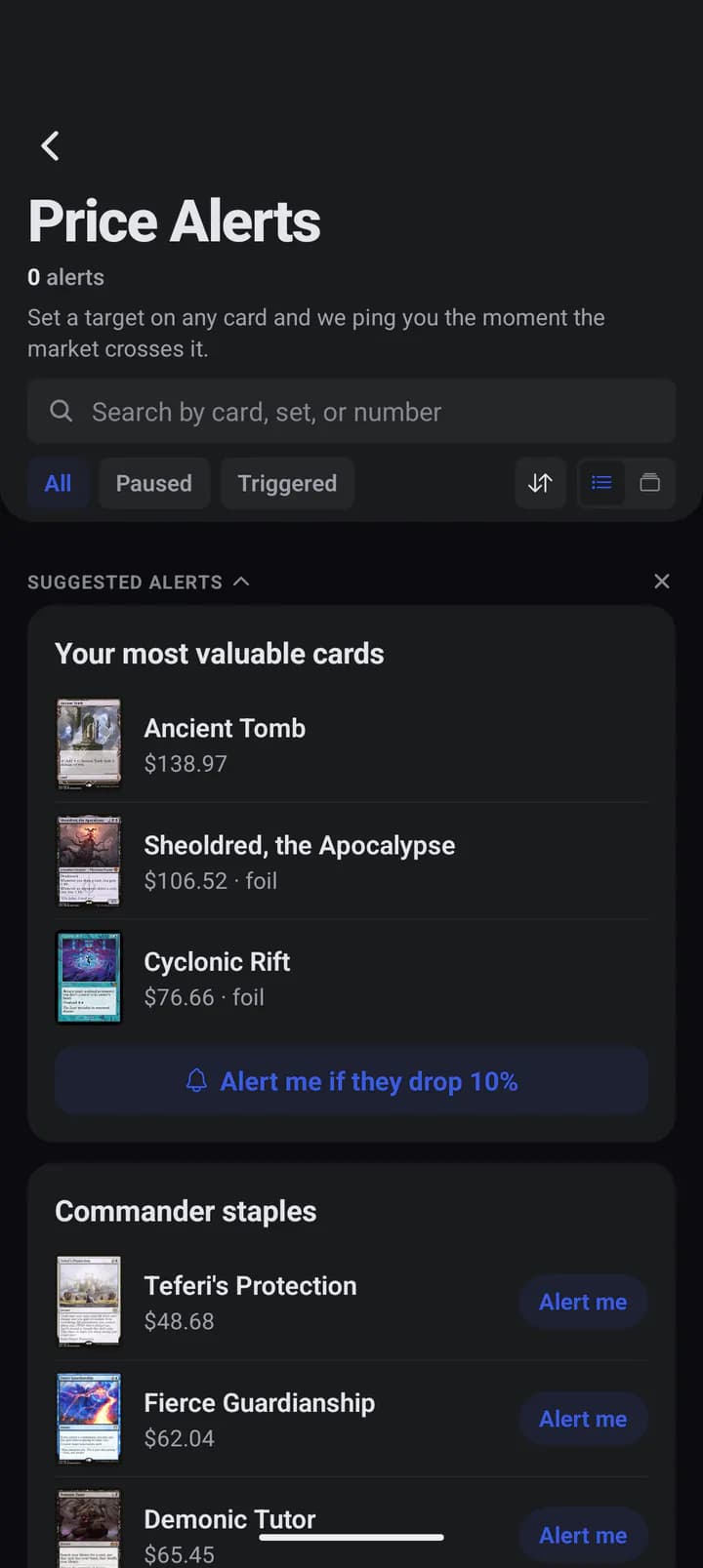
Price alerts gets Suggested alerts: one tap sets an alert for when your
most valuable cards drop 10%, or one on a staple you have been waiting for.
In the appReady-made Views, counted from your binders and tracked decks.
In the appCards worth watching: Watch adds one in a tap.
In the appSuggested alerts: one for your most valuable cards, or one per staple.
Each section folds, and its X puts it away. While the screen is still empty,
the suggestions come back on your next visit.
Also in this release
Signing in to another account loads it at once, instead of showing an
empty collection until the app was opened again.
The Collection strip never shows a blank. On a day none of your cards
moved, it shows the last one that did, with its date, and it hides when
there is nothing to show.
A guest's collection follows them into Google or Apple sign-in.
The paywall shows the price the store will charge, in your currency,
with an introductory offer when you qualify for one.
Binders and lists open in the full grid, with each card's name, set
and price.
Deleting a tag or cards from a deck says where they go: Recently
deleted, for 30 days.
The full list is in Profile, then Version history, inside the app.